
Put AI to work
in your daily tasks.
Finding internal information, reading and comparing documents, writing reports, checking conditions on site. We work out how AI fits your daily tasks. SYSLABO works with you on everything from improving the AI you already use to developing screens and functions and connecting them to your systems. We decide where to start and keep improving after launch.
Choose what you want to discuss from six uses.
The six uses are starting points for choosing what to discuss. In real projects, we combine several of them to fit your goals.
RAG and internal search
Find internal information and answer with sources
We build systems that find what is needed in internal policies, procedures and case records and answer with the supporting sources. For RAG you already use, we look at actual questions and usage and improve the answers and the procedures for updating information.
RAG and internal search
For exampleLast time we had a similar request, why did we handle it that way?
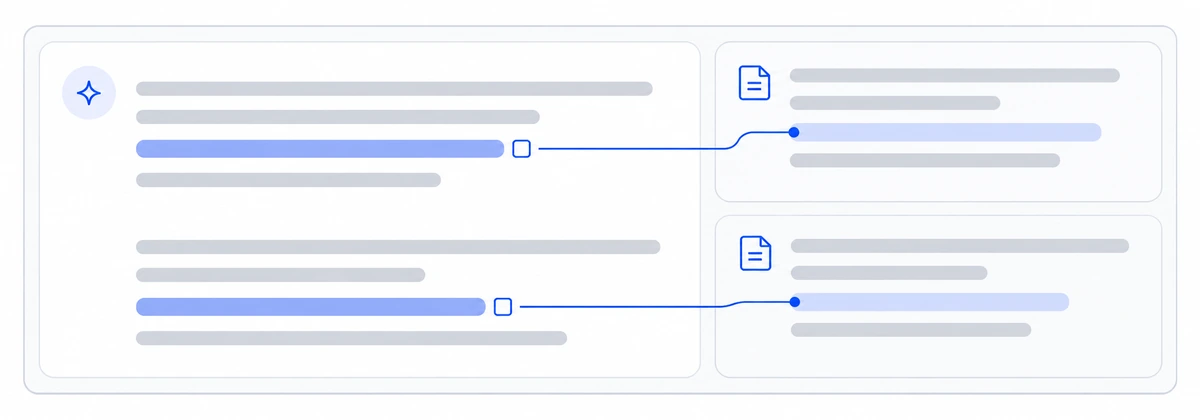
- Question
- Search policies
- Answer with sources
- Ask about policies or procedures and check the relevant passage and its update date.
- Record why experienced staff made a decision so that it can guide similar cases.
If you already use AI
Adding documents still does not surface what is needed, outdated content creeps in, and people end up asking an expert anyway. We examine real questions and the documents behind each answer, then improve how information is loaded, searched and turned into answers.
Checks before business use
We test with common questions and the documents needed to answer them. We align which sources may be used and which versions apply, and compare the effort staff need to check sources with the current way of working.
Make internal documents and data usable by AIGetting it into use
We make the most used documents searchable first, and decide who uses the system and who updates it. Improvements continue based on the questions it could not answer.
See how we get AI into everyday useDocument AI
Read and compare documents, then draft what you need
We develop systems that extract the information you need from applications, reports and specifications and check it against other materials. They show differences and points to check, and draft reports and explanatory documents that follow your company formats and writing rules.
Document AI
For exampleI want a draft of our monthly report in the company format, based on work records.
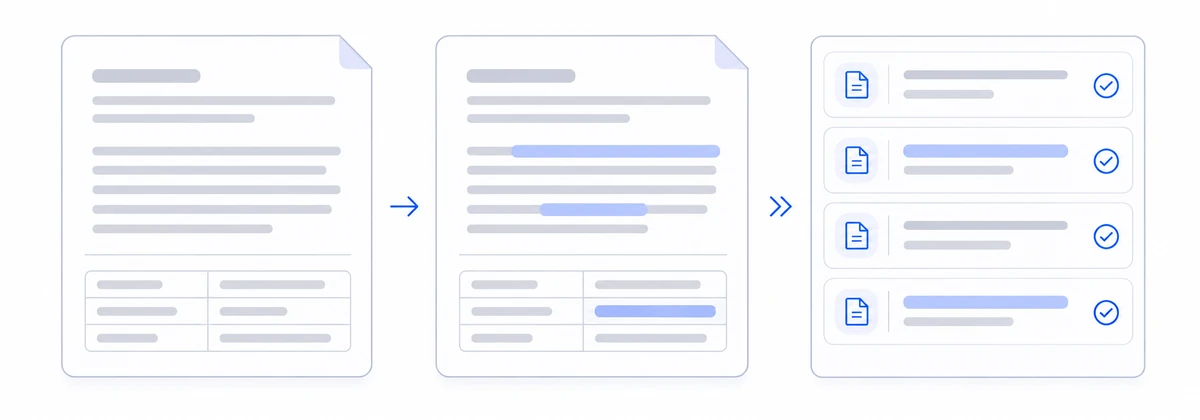
- Documents
- Read, compare and draft
- Staff review
- Extract the same fields, such as date, subject and work done, from reports in different formats.
- Compare documents before and after a revision and show what changed and what needs checking.
- Draft a regular report in your company format from several reports and work records.
If you already use AI
Text can be read, but checking, copying and rewriting documents remain. We build screens where staff correct results side by side with the original, so confirmed content can be used for system entry and for writing documents.
Checks before business use
We narrow the document types, the fields to extract and the documents to draft. We check results against the originals for reading errors, missing entries and the time staff spend on corrections.
Make internal documents and data usable by AIGetting it into use
Checked and corrected content is used for daily data entry and report writing. The documents referenced and the documents produced are kept so they can be reviewed.
See how we get AI into everyday useRAG focuses on finding sources in information you have built up, while document AI focuses on reading, comparing and drafting documents. To write documents that draw on internal policies or past materials, the two are combined.
Physical AI and IoT
Put the cameras and sensors you have to work
We build systems that use camera images and sensor records to show conditions on site on a screen or to flag changes. We start with the equipment you have and the information it can provide, such as showing parking availability.
Physical AI and IoT
For exampleI want to check from reception how many parking spaces are free right now.
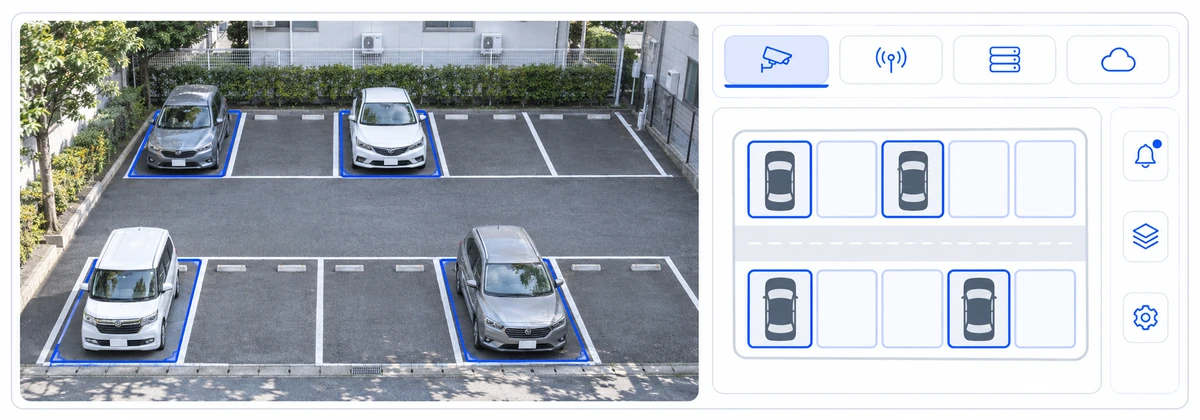
- Cameras and sensors
- Judge and count
- Screens and alerts
- Estimate availability in part of a parking area and show it on reception and facility management screens.
- Use sensor records and booking information to check how meeting rooms are used.
If you already use AI
You have footage and records, yet people still check them by eye. SYSLABO checks whether the AI judges correctly, develops the screens and notifications staff use, and connects them to business systems. Adding, installing or wiring equipment is shared with manufacturers or specialist companies as needed.
Checks before business use
We test in part of the parking area and compare the results with actual availability to see whether they can be used for guidance.
Make internal documents and data usable by AIGetting it into use
Results are shown on reception and facility management screens, and staff are alerted when something needs checking. The scope is extended while watching how it is used.
See how we get AI into everyday useData analysis with AI
Ask in plain language and check figures by department
We build systems where questions such as “Which departments are over budget?” let you check sales and costs by department. Differences from the budget and last month are shown in tables and charts, along with the period, conditions and source data used.
Data analysis with AI
For exampleWhich departments are over budget?
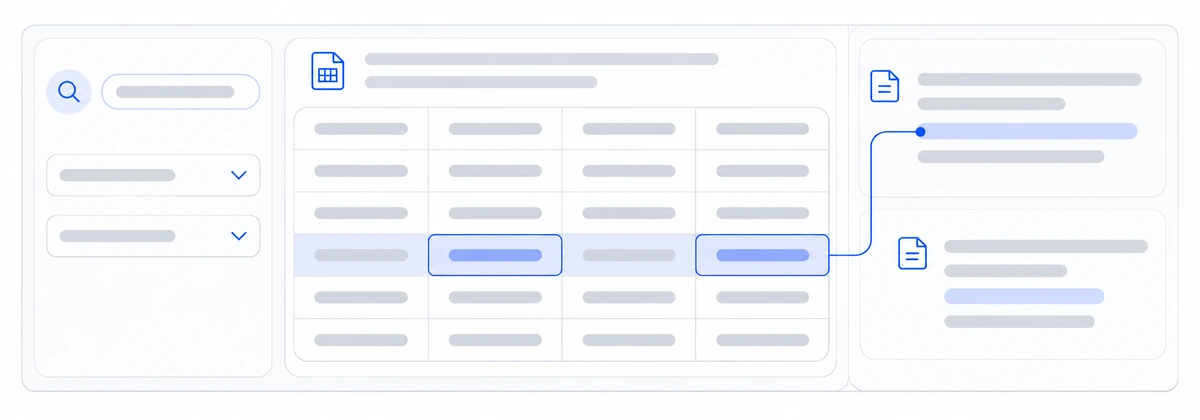
- Question
- Total and compare
- Results you can trace to source data
- Compare each department’s costs with the budget and check the departments and items with large differences.
- Compare sales and costs by department with last month and narrow what to look into.
If you already use AI
You have data and charts, but looking things up under the conditions you need takes time. We align common questions with the definitions of your numbers so the totals and comparisons you need can be produced.
Checks before business use
We start with the totals you use most and compare the figures with your existing reports. We also check that the period and scope in each question are applied as asked.
Make internal documents and data usable by AIGetting it into use
We develop screens for regular totals and checks, decide how data is updated, and expand what can be looked up based on users’ questions.
See how we get AI into everyday useVoice AI and live translation
Translate conversations and keep the work moving
We build systems that translate phone and counter conversations into many languages so staff can confirm what the other person says while responding. Displayed translations, reading aloud and interaction records work as one continuous flow that fits how your team works.
Voice AI and live translation
For exampleI want to handle inquiries in other languages, confirming what is said as we go.
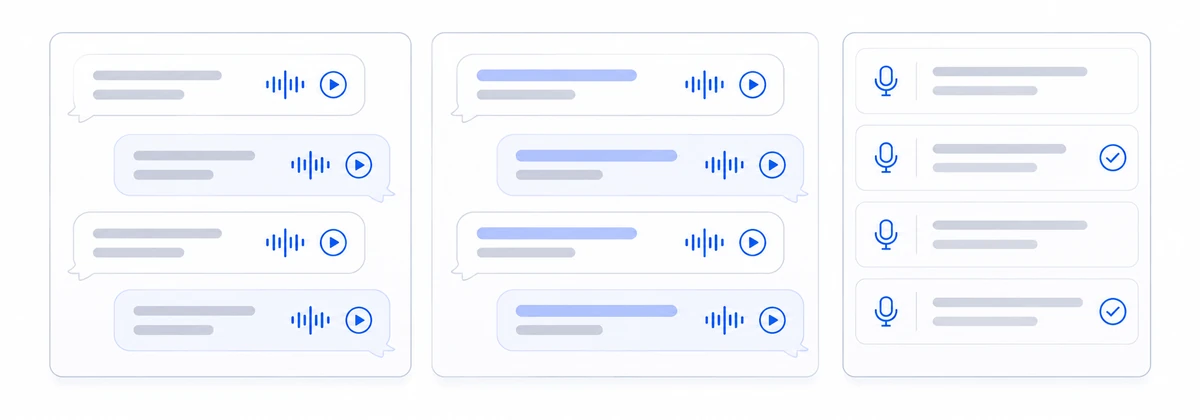
- Conversation
- Translate and read aloud
- Record the interaction
- In a call center, translate what customers and agents say both ways and use it for handling and recording inquiries.
- At reception or a counter, translate conversations between visitors and staff for guidance and procedures.
- Translate meetings with overseas sites or explanations on site, and record decisions and requests.
If you already use AI
You have a translation tool, but staff switch between the phone and another screen, or enter records again afterwards. SYSLABO fits the work to your current calling or reception systems so that checking what was said and its translation, reading aloud and recording the interaction happen in one flow.
Checks before business use
We test translation between the language pairs you need in your actual phone or counter environment. We also check how names and numbers are translated, background noise and waiting time during conversations, so staff can recheck translations on the spot.
Make internal documents and data usable by AIGetting it into use
We decide the languages and situations to support, and build checking translations, reading aloud and recording interactions into your actual reception or call flow.
See how we get AI into everyday useAI agents
Look up information and carry it through to entry and registration
We build systems that look up information for each request, check for missing items and carry the work through to the entry and registration needed. We define where staff review and approve the work and connect it to the business systems you use.
AI agents
For exampleI want to check each request and register the approved ones in our business system.
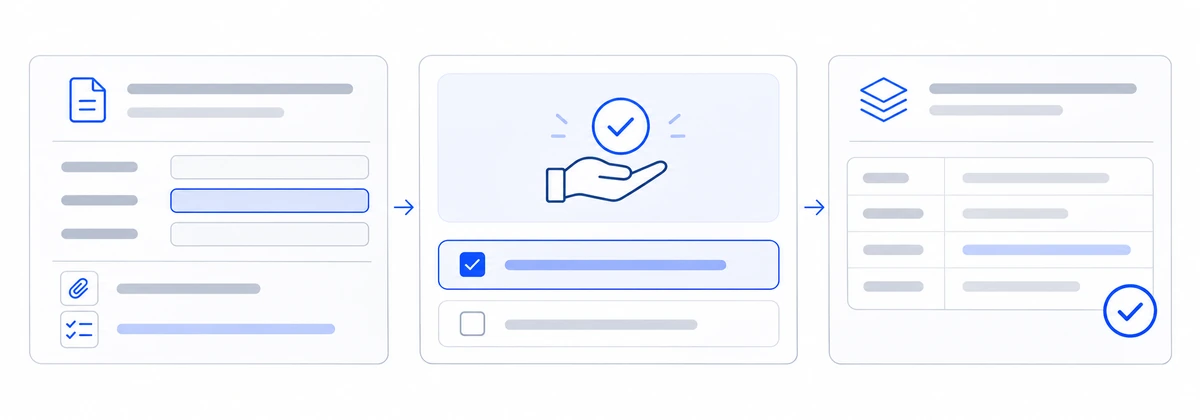
- Request
- Check and approve
- Entry and registration
- Organize incoming requests, gather the information needed and prepare the handover to staff.
- Register confirmed content in systems and check that it was processed.
If you already use AI
AI gives you answers, but copying them over and operating systems is still manual. We look at the actual work and design a clear split between tasks AI can complete on its own and tasks that need staff review or approval.
Checks before business use
We start with a limited set of request types and connected systems. Results after approval are recorded, and staff can see the status if a process stops midway.
Make internal documents and data usable by AIGetting it into use
From receiving a request to review and approval by staff, registration after approval and checking the result, the work proceeds as one continuous set of steps. We also decide how requests that could not be processed are handed over.
See how we get AI into everyday useCombine uses to move the work forward.
The following examples show how uses can be combined. In actual development, we combine several uses to fit your goals.
Check documents, then draft reports and register them
Extract the information you need from documents, look up the related policies and procedures, and draft a report in your company format. After staff check and correct it against the original materials, the required content is registered in your business system.
From guidance in other languages to recording the response history
Phone and counter conversations are translated, and RAG looks up the guidance and procedures needed. Staff confirm the content before passing it on, and AI agents use the confirmed request for registration and handover.
Notice changes on site and lead to the inspections needed
Camera and sensor data flag conditions that need checking, and the related procedures and past records are looked up. Staff confirm the situation on site and decide on inspections or other action.
Build AI into your services.
From improving an existing service to developing a new one. We plan, develop and keep improving it after launch with you, fitted to your business and the people who use it.
The six uses introduced above can also be built into the services you offer. Beyond AI for your internal work, you can talk to us about developing the services you deliver to your users.
Make an existing service easier to use
We hear about your service and how it is used, and organize what you want to improve. Building on your existing functions and systems, we decide with you where AI fits in and what to develop first.
Turn expertise and data into a new service
Using your documents and know how, we design services that help people find information, compare options and gather what they need to decide. We also work out with you whether to offer it as a new feature of an existing service or as a new web service.
Develop it until it works as a service
Beyond the AI processing, we develop the screens people use, connections to existing systems and screens where your staff update content. We also design, for each service, what information each user can access and how questions are handed over to your staff.
Fit your business and development team
We combine your knowledge of your business with SYSLABO’s experience in system development and integration. We agree roles with your existing partners and set out the first functions to release and the expected cost. After launch, we look at how the service is used and what people ask, and plan the next improvements with you.
- The people who use itUsers of your service
- Service screensScreens offered under your brand
- AI processingFind, compare and gather what is needed to decide
- Existing systems and dataDocuments, know how and business systems
- Staff screensUpdating content and handling handed over questions
You can talk to us before the idea is fully formed. We hear what you want to achieve and work out together where to start.
We work with you until it is ready for daily use.
Making documents and data usable by AI
Choose the documents AI references, and set the rules for using them.
We start by choosing the documents and data the first task needs, and decide which sources count as the correct reference. We decide how old documents are handled and what each user may see. We align how numbers are defined and make clear who updates information and when. SYSLABO also checks how information is loaded and how access permissions are set, so AI can correctly reference the information your work needs.
| What we decide | What we do |
|---|---|
| Which information to use | Choose the documents and data to reference, and align what each field means and how totals are calculated. |
| How to handle old information | Separate the latest versions from past records, and decide what may be used for answers and comparisons. |
| Who can see what | Confirm what information each user may see and which operations they may run. |
| Who updates it and when | Decide who updates information and when, and how changes reach the AI. |
You can also discuss how to handle information that cannot leave your company. We review your existing servers and the cloud services you use, and consider with you where information is processed, what is sent outside and which model to use.
Getting AI into everyday use
Start with one task and get it into everyday use.
SYSLABO reviews your current AI and systems, the actual documents and how staff work, and decides with you where to start. We develop screens and functions, connect them to your systems and prepare operations, so the AI can be used in daily work. After launch, we keep improving while watching the checking and correction work that remains.
| What we do | How SYSLABO supports it |
|---|---|
| Decide where to start | We decide the task and the users, and separate the functions needed before launch from those to add later. |
| Develop screens and functions | We build working screens while staff try them, and decide how they connect to existing systems and how they are used in the work. |
| Improve while in use | We decide who handles questions and who runs operations, review effort and difficulties that remain after launch, and plan the next improvements and how far to extend use. |
Deciding the next scope and cost
Work out together where to invest next.
We review your current AI and deliverables, and sort out what can be used as is, what needs fixing and what must be added. Expected effects, work people continue to do by hand, development and operating costs, timelines and roles are summarized so you can decide internally. We are also frank about what could raise costs and what is not yet known.
| What we organize | What you can decide |
|---|---|
| What in your current AI and deliverables can be used | Where past investment can be put to use |
| What to improve and what to build new | How far to go this time |
| Work that can be reduced and work people keep | Whether it helps the people doing the work |
| Development and operating costs, timelines and roles | Which scope to start with |
We compare the time work takes and the checking and correction effort before and after launch, and decide together which documents and records are needed to judge the effect.
Working with your team and existing partners
We divide roles with your team and existing partners, and SYSLABO members work alongside you, from reviewing the work to design, development and improvement. So that you can keep using the system and drive the next improvements, we share design rationale, code, test methods and operating procedures within the agreed scope.
You can also consult us about using AI to analyze or rebuild existing systems.
Tell us what you want to achieve with AI.
What is not working in your current AI, what you want to improve in your service or what you want to build next: you can talk to us while you are still exploring. We hear about your current systems and ideas, and work out with you where to start and how to proceed.
Tell us what you know so far.
- 01Your current challenges or what you want to achieve
- 02The work you want to use AI for, or the service you want to offer
- 03Your budget, team and target timing
You can contact us before your questions or documents are fully organized.